Fly-by-Code.

Embodied Coding Agents for Aerial Manipulation with Active Visual and Physical Feedback

Jaewoo Lee1*Jeongyeon Seo1*Sihyun Cho1*Gyeongrak Choe1Yutong Wang2Bavin Saravanan2Jia-Bin Huang3Furong Huang3,4Sebastian Scherer2Guanya Shi2H. Jin Kim1Seungjae Lee3†Dongjae Lee5†

1Seoul National University2Carnegie Mellon University3University of Maryland, College Park4All Purpose AI5Kyung Hee University

* Equal contribution; order determined by coin flip. · † Project leads

TL;DR

We ask a coding agent to write a separate diagnostic program after each task-program execution in simulation. Through new viewpoints (View) and targeted physical tests (Probe), the program gathers additional evidence about task outcomes and failure causes to guide task-program refinement.

How Fly-by-Code works

Coding agents use execution feedback—such as console logs and camera images—to assess task completion and revise their programs. This feedback may leave task outcomes unseen or failure causes unclear.

Conventional task-program refinement loopFly-by-Code (ours) adds Active Feedback to the loop

Click Active Feedback, View, or Probe to learn more.

Task prompt
Claude CodeCodexTask program
Isaac SimExecution
Verdict
Finish
Refine the code

From simulation to the physical robot

Task programs refined in simulation run on our physical aerial manipulator through shared robot APIs, without changes to the task-program source code. They use real-world observations to guide execution rather than replaying simulated trajectories. In our experiments, these programs repeatedly completed two multi-stage tasks despite differences between the simulated and physical scene layouts and variations in the robot’s initial position and heading.

Cabinet

Open both cabinet doors, grasp the bottle inside, and carry it to the hanging basket.

2-Objects Pick-and-place

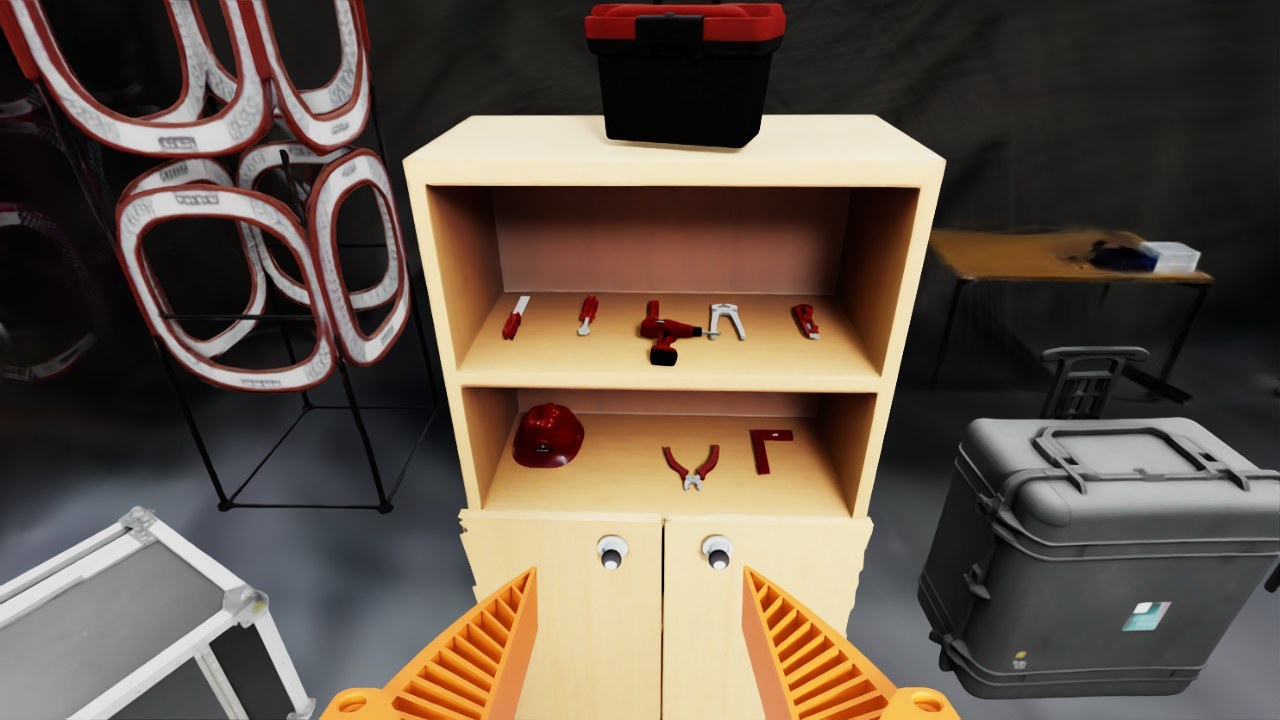
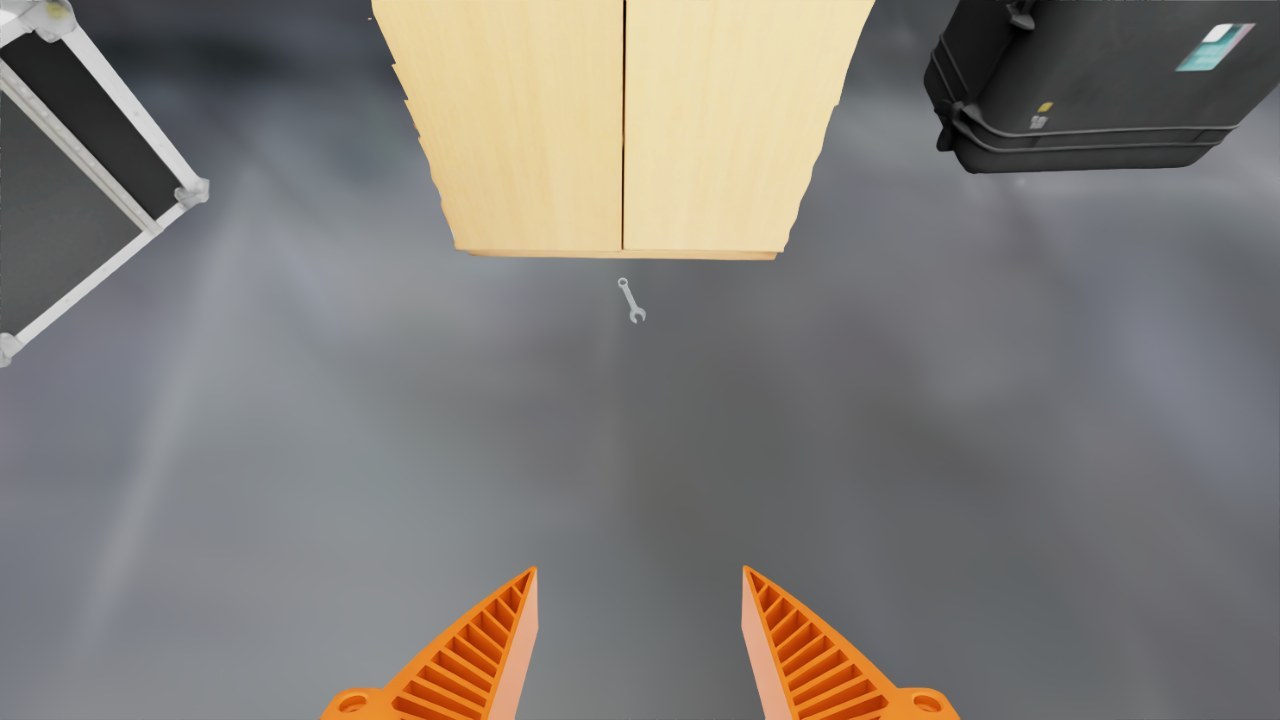
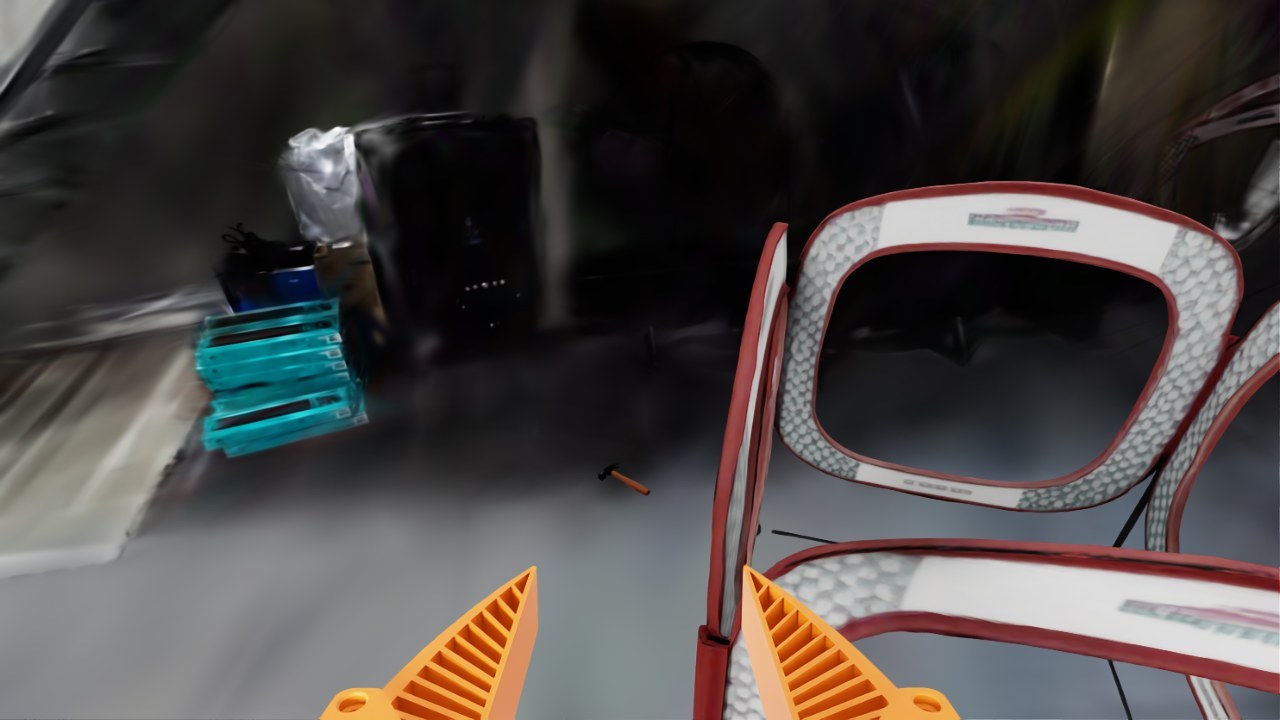
Pick the hammer from the pegboard and place it in the basket, then carry the wrench to the upper shelf.

Trial outcomes & hardware

A custom omnidirectional coaxial quad-tiltrotor carries a four-degree-of-freedom arm, a UMI gripper and a wrist RGB-D camera. The videos show successful runs. In the table below, denominators include all evaluated trials per task, even those not reaching the subtask.

TaskOutcomeSuccessful trials
2-Objects Pick-and-placeGrasp hammer5/5
Place hammer in basket4/5
Grasp wrench5/5
Place wrench on shelf5/5
Full task4/5
CabinetOpen left door5/5
Open right door4/5
Grasp bottle4/5
Place bottle in basket3/5
Full task3/5

Tasks

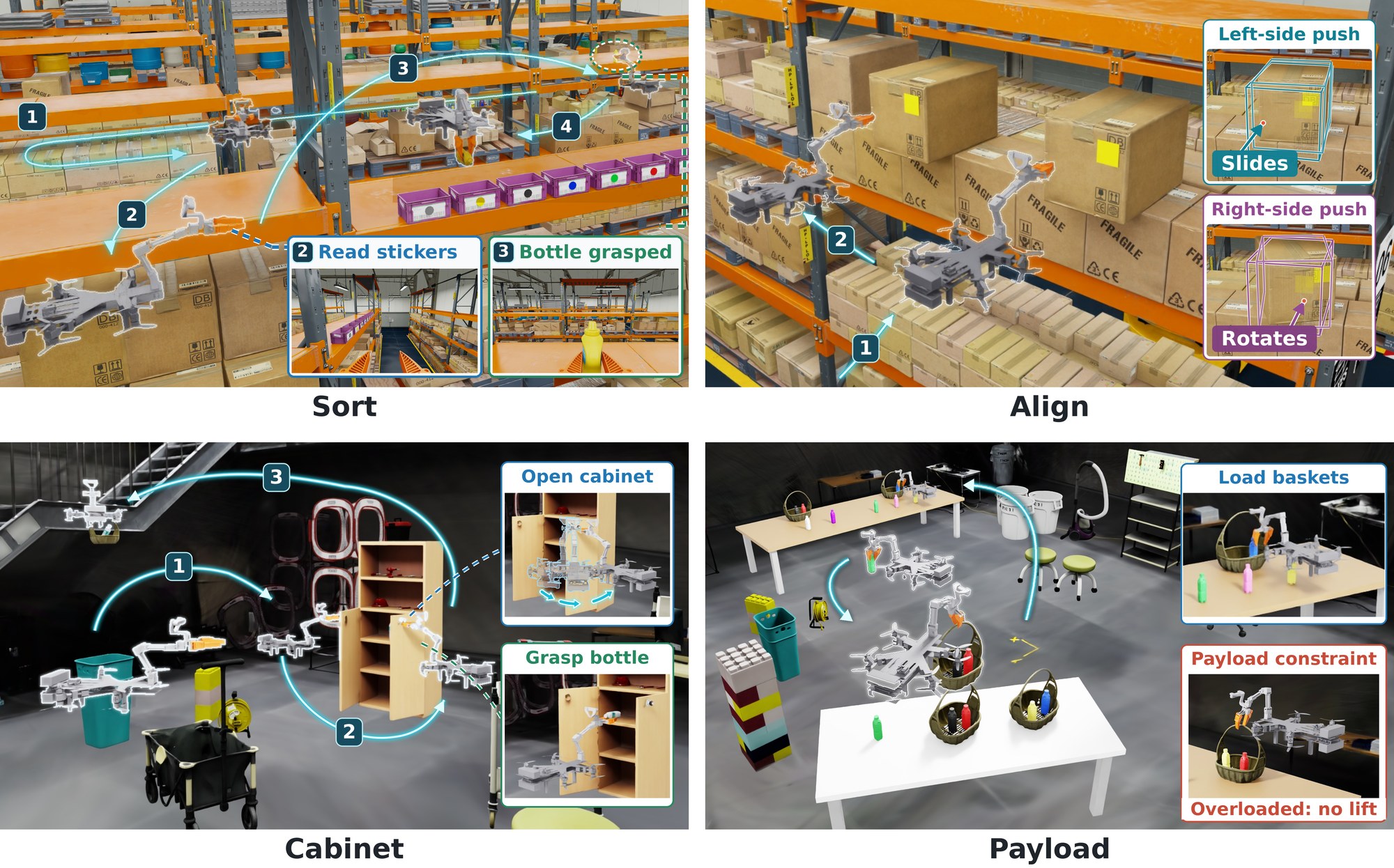
Sort, Align, Cabinet and Payload in the warehouse and laboratory digital twin, with overlaid robot poses and paths.
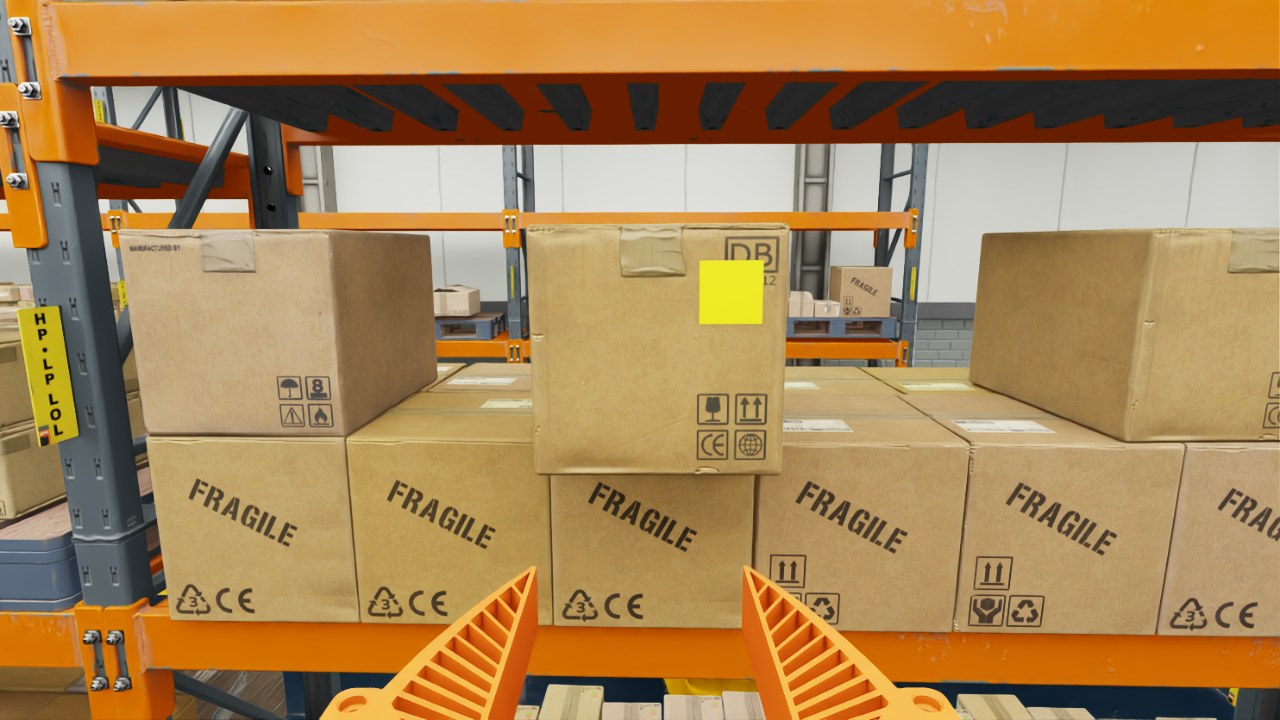
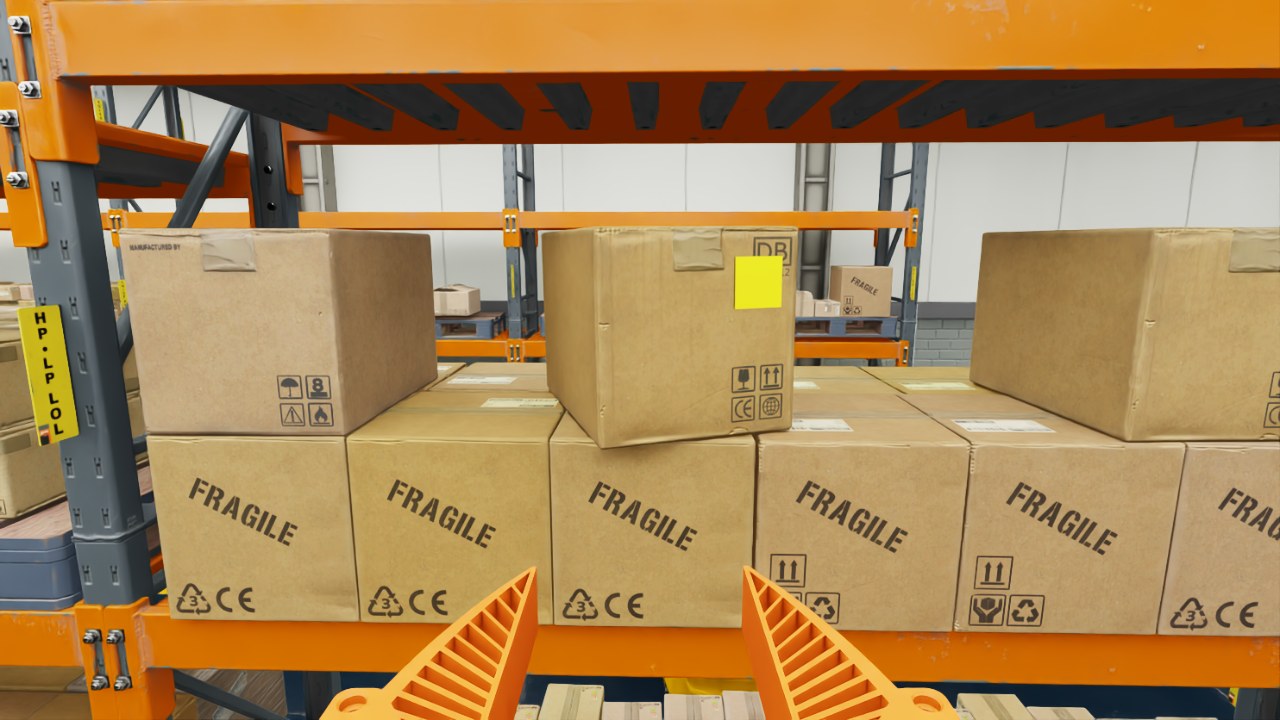
Sort: identify the target bottle and place it into the color-matched bin. Align: push protruding boxes into alignment with the rack; because of offset centers of mass, different contact points induce translation or rotation. Cabinet: open the cabinet doors, retrieve the bottle inside, and deliver it to a hanging basket. Payload: transport filled bottles and baskets with minimal hall crossings under an undisclosed payload limit. Sort and Align use the warehouse simulation; Cabinet and Payload use the laboratory digital twin.

Results across six simulated tasks

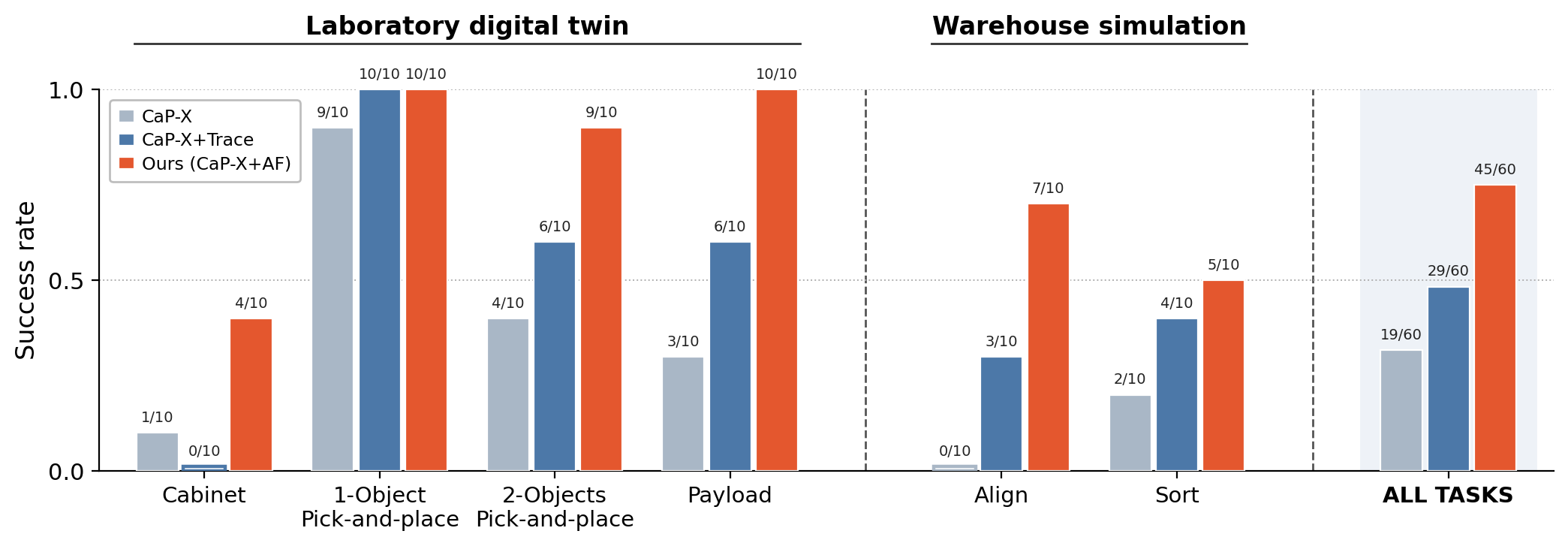
Six aerial manipulation tasks in two simulated environments, with the same coding-agent configuration and task-execution limit. Each trial permits one initial execution and up to ten program revisions; 10 trials per task and condition.

31.7%CaP-X · 19 of 60 trials
48.3%CaP-X+Trace · 29 of 60 trials
75.0%Ours (CaP-X+AF) · 45 of 60 trials

Final task success

Bar chart of final task success on six tasks. Ours matches or exceeds both baselines on every task: Cabinet 4/10, 1-Object 10/10, 2-Objects 9/10, Payload 10/10, Box alignment (Align) 7/10, Object sorting (Sort) 5/10; 45/60 overall versus 19/60 for CaP-X and 29/60 for CaP-X+Trace.
AF achieves the highest success overall and matches or exceeds both CaP-X and CaP-X+Trace on every task. Labels above the bars indicate successful trials out of ten per task.

Completion assessment

Across 60 trials, AF makes 5 false completion declarations, compared with 25 for CaP-X and 19 for CaP-X+Trace.

MethodPer task (TP / FP / ND)Overall
Cabinet1-Obj P&P2-Obj P&PPayloadAlignSortTP / FP / NDPrecision
CaP-X1/1/89/1/04/5/13/6/10/10/02/2/619/25/1643.2%
CaP-X+Trace0/3/710/0/06/3/16/3/13/7/04/3/329/19/1260.4%
Ours (CaP-X+AF)4/1/510/0/09/1/010/0/07/3/05/0/545/5/1090.0%

TP: correct completion declaration. FP: incorrect declaration. ND: no declaration before the step limit. Precision = TP / (TP + FP).

Models and interfaces

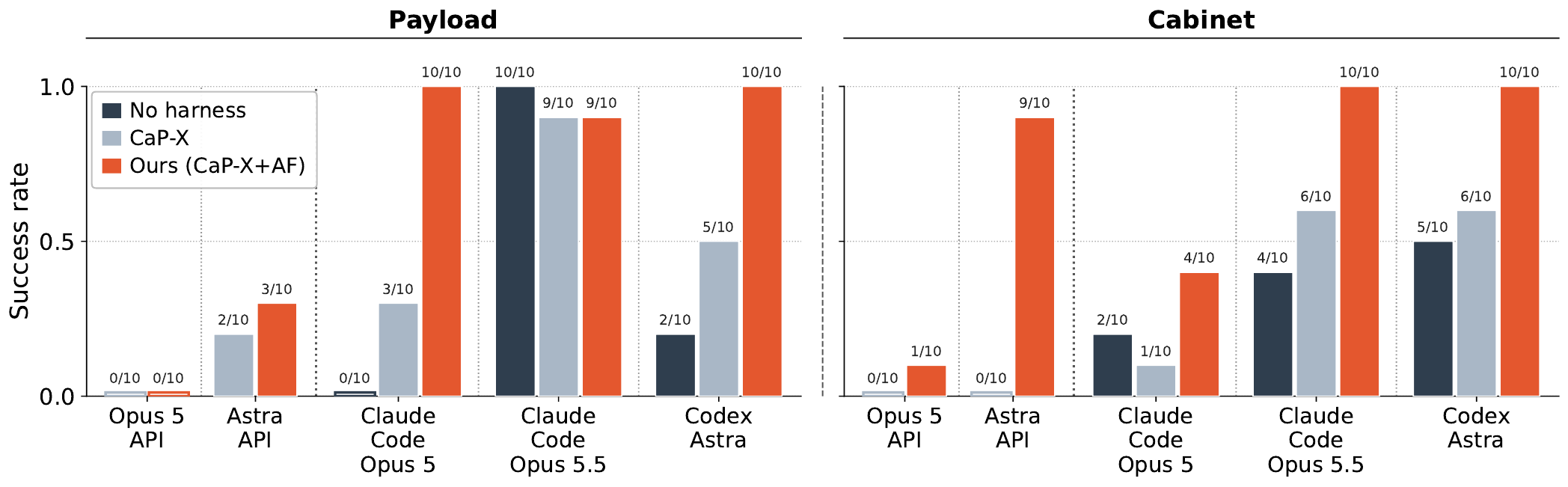
Bar charts of final task success on Payload and Cabinet for five model and interface configurations under No harness, CaP-X and Ours (CaP-X+AF).
Final task success on Payload and Cabinet across models and agent interfaces. Across ten model–task pairs, AF improves on CaP-X in eight and ties in two.

Case studies

Two recorded simulation trials, with excerpts from the agent’s analysis, code and console.

View / Look againDid it land in the basket?New viewpoints reveal a failed placement.

Recorded simulation case. Code, console output, and agent quotations are excerpts; omissions are marked […]. Image notes are inspection questions written before capture.

View

2-Objects Pick-and-place: acquiring additional outcome observations

1

The task program reports success

Turn 1 — task programSimulation · 8× speed
The agent-generated task program reported both the hammer and wrench placements as successful, although neither tool actually remained at its destination.
Console output
hammer done: True
[...]
wrench done: True
2

The agent names what the evidence does not show

“The previous program reports both parts done, but neither is confirmed.”

Hammer. […] “That shows the hammer left the hand, not that it landed inside the basket. It could have dropped beside the basket or onto the stairs. I need a view looking down into the basket.”

Wrench. […] “I need to look at the upper shelf more closely from above, then at the lower shelf and the floor in front of the cabinet, and write down where the wrench actually is.”

3

It writes a diagnostic program: move, observe, attach a question

Agent-generated codePython
def look(target, offsets, note):
    target = np.asarray(target, float)
    for off in offsets:
        vp = target + np.asarray(off, float)
        if go(vp, target - vp):
            return get_observation(note=note)
    # [...]

fl = np.array([3.55, cc[1], 0.05])
o = look(fl, [[-0.8, 0, 1.0], [-1.0, 0.3, 1.1]],
         "Floor in front of the cabinet's open face: did the wrench fall to the floor?")
report(o, ["wrench"])
4

Returned diagnostic views, measurements, and the agent’s image notes

AF — diagnostic programSimulation · 8× speed
The diagnostic flight: upper shelf, the floor in front of the cabinet, the basket from above, and the area around it.
Upper shelf of the cabinet seen from above-front.
Upper shelf. “Upper open shelf of the cabinet from above-front: is the black-handled wrench from the pegboard on it?”
Floor in front of the cabinet with the wrench lying on it.
Cabinet floor. “Floor in front of the cabinet’s open face: did the wrench fall to the floor?”
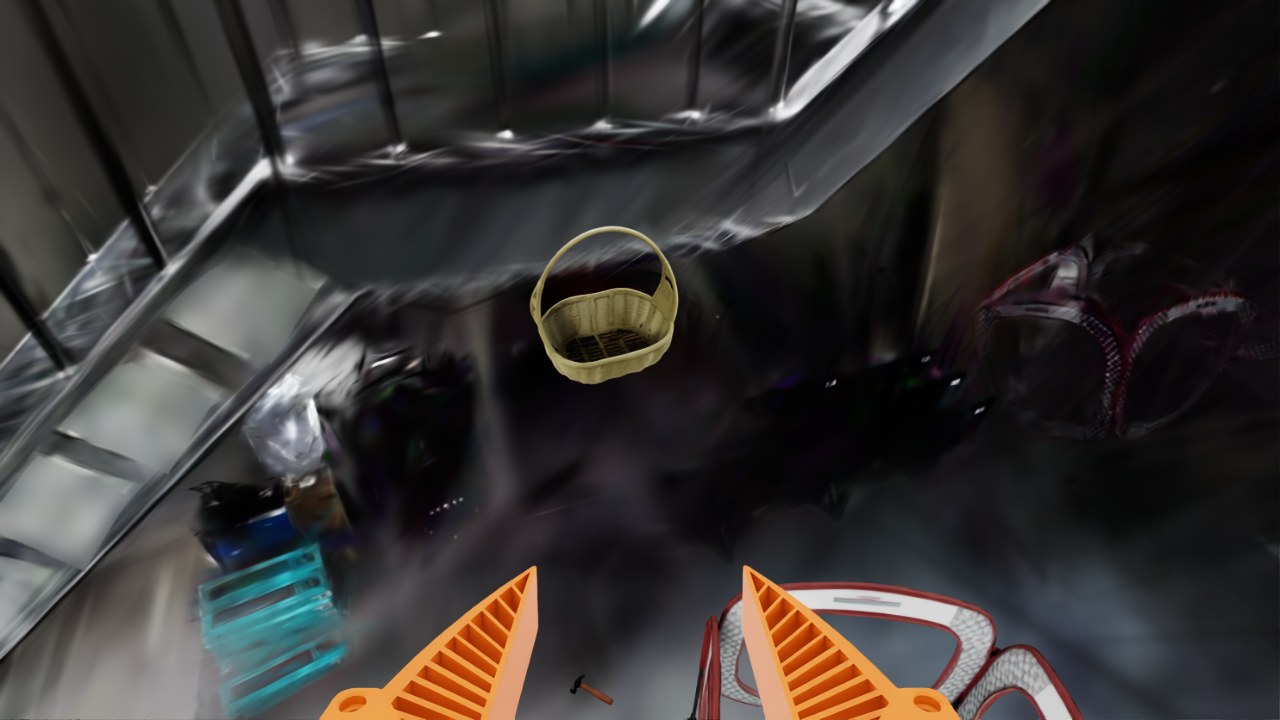
The basket on the stairs seen from above; it is empty.
Basket interior. “Basket on the stairs from above: is the hammer inside it?”
The area below the basket and stairs.
Around the basket. “Area below/around the basket and stairs: did the hammer fall out instead?”
Console output — median world-frame coordinates from segmented depth
[wrench] score 0.91 [...] med [ 3.567  0.953 -0.009] [...]
[hammer] score 0.92 [...] med [ 2.463  3.979 -0.009] [...]
5

Decision and the next program

Turn 2 — revised task programSimulation · 8× speed
The next program, run again from the initial state after REGENERATE.

REGENERATE — the next program adds a release-and-hold routine, revises the hammer release pose, and tries deeper wrench placements.

Agent-generated codePython
def release_and_hold():
    open_gripper()
    p = pos()
    goto_pose(p, settle=True)   # hold still ~3 s so the object drops free
    get_observation()
    open_gripper()

The trial succeeded on the fourth task execution. The case shows AF producing evidence against a reported completion and directing the revision.

Probe / Test a hypothesisWhy does the box keep turning?Contact tests guide the next pushing strategy.

Recorded simulation case. These are sequential diagnostic observations, not a controlled contact-location ablation. Code and console excerpts retain their original values.

Probe

Align: testing alternative contact points

After repeated pushes kept rotating a carton, the agent used AF to test alternative contact locations and sideways slides.

1

Agent’s recorded AF analysis: which push reduces rotation?

“My working guess is sideways friction drag.” […]

“I need controlled experiments to learn how much each action twists the carton: centre push, high-edge push, low-edge push, and a push followed by a small sideways slide while still in contact.”

2

Generated diagnostic code: compare contact actions

The program tested these actions sequentially, returning to the same viewpoint after each probe to measure the response from RGB-D observations. In the code and console below, “hi-edge” and “lo-edge” are the carton’s left and right edges in the head-on camera view, and “drag +y” / “drag -y” are small slides to the left / right.

Agent-generated codePython
open_gripper()
# [...]
exps = [("centre", 0.0, 0.0), ("hi-edge", +1, 0.0),
        ("lo-edge", -1, 0.0), ("centre+drag+y", 0.0, +0.015),
        ("centre+drag-y", 0.0, -0.015), ("hi-edge", +1, 0.0)]
for name, where, drag in exps:
    # [...]
    r = go(G, approach=N, z_approach=0.15, allow_contact=True, settle=True)
    # [...]
    if drag != 0.0 and r:
        G2 = G + np.array([0.0, drag, 0.0])
        go(G2, approach=N, allow_contact=True, settle=True)
        # [...]
    # [...]
    f2, s2 = measure_B("after " + name)
3

Returned diagnostic views, measurements, and the agent’s image notes

AF — diagnostic programSimulation · 8× speed
The diagnostic program pushes carton B at the centre, the left edge and the right edge, then with small sideways slides, backing off to the same viewpoint after each push.
Console output
RESULT centre:        centre moved 0.0285, yaw change -3.17 deg
RESULT hi-edge:       centre moved 0.0385, yaw change -0.31 deg
RESULT lo-edge:       centre moved 0.0241, yaw change -4.01 deg
RESULT centre+drag+y: centre moved 0.0439, yaw change -4.56 deg
RESULT centre+drag-y: centre moved 0.0426, yaw change -4.75 deg
RESULT hi-edge:       centre moved 0.0430, yaw change -2.11 deg
Carton B seen head-on before any push experiment.
Before probing. “carton B untouched, head-on, before the push experiments”
Carton B seen head-on after the six push experiments; it is now rotated.
After probing. “carton B after the six push experiments (centre, hi-edge, lo-edge, drag +y, drag -y, hi-edge)”

The first left-edge push produced less rotation per unit of advance than the centre and right-edge pushes. Neither sideways slide reversed the rotation.

4

Decision and program revision

REGENERATE — the next program initialized a linear push-response model from the diagnostic observations and used it to select the lateral contact position.

Agent-generated code — next task programPython
# ---------------- twist model: yaw change (deg) per cm of push = alpha + beta*u ----------------
# u = contact offset from face centre / half-width (+ toward +y). Prior from observed pushes:
# [...]
        w = y2 - y1; yc = 0.5 * (y1 + y2)
        # [...]
        alpha, beta = twist_model()
        # [...]
        u = float(np.clip((rate_des - alpha) / beta, -0.82, 0.82))
        yp = yc + u * w / 2.0
        # [...]
        if dc_cm > 0.4:
            twist_data.append((u, dpsi / dc_cm, min(2.0, dc_cm / 2.0)))
Next execution — revised task programSimulation · 8× speed
Its execution pushed on the high-y side, bringing the boxes closer to alignment.